
Mobile Access
Harakabet App Kenya: Play Sports & Casino on Any Phone
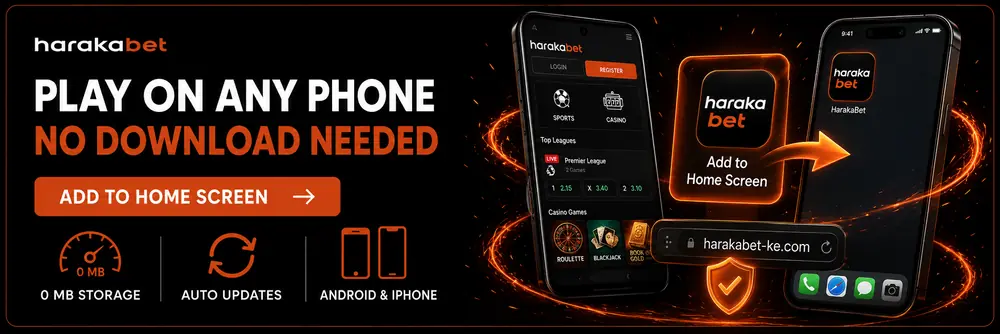
Searching for the Harakabet app download, the Haraka Bet app, or a Harakabet APK? You won’t find a separate file to install — add Harakabet to your home screen straight from your browser instead, and it opens, feels and works like a full app: no download, no app store, no wasted storage.
Quick Facts
| Current app format | Mobile web app (PWA) — installs from your browser |
| Works on | Any Android phone or iPhone, no app store needed |
| Storage used | Close to 0 MB — nothing to download |
| Updates | Always the latest version automatically |
| Official access | Only via harakabet-ke.com — avoid APK files from other sites |
Get Harakabet on Your Phone: Home Screen Setup in Seconds
On Android (Chrome)
1
Open harakabet-ke.com in Chrome.
2
Tap the menu icon (⋮) in the top right corner.
3
Tap “Add to Home screen” (or “Install app” if it appears).
4
Confirm — the Harakabet icon lands on your home screen like any other app.
On iPhone (Safari)
1
Open harakabet-ke.com in Safari.
2
Tap the Share icon at the bottom of the screen.
3
Scroll down and tap “Add to Home Screen”.
4
Tap Add — Harakabet now opens full-screen, just like an app.
Why Harakabet Skips the Heavy APK Download
Right now, Harakabet runs as a home-screen web app rather than a separate APK you download and install. That’s a deliberate trade-off, not a missing feature: it means no waiting on app store approval for updates, no broad phone permissions to accept, and no chunk of storage disappearing on budget devices — a real difference on the Tecno, Itel and Infinix phones most players in Kenya actually use.
You get the same odds, the same casino lobby, and the same account balance as the full site — just launched with one tap instead of a browser search every time.
App vs Mobile Website: Which Should You Use?
Manage Deposits & Withdrawals On the Go
Top up or cash out with M-Pesa and Airtel Money directly from the home-screen app — same speed as the desktop site.
Harakabet Not Loading or Blocked? Quick Fixes
If the app or site won’t open, it’s usually one of these:
Browser cache needs clearing
Network or ISP restriction
Outdated browser version
See the full access troubleshooting guide for alternative ways in when your usual connection won’t load Harakabet.
How to Spot a Fake Harakabet App
Because Harakabet doesn’t distribute a downloadable APK right now, any file calling itself the “Harakabet app” from outside harakabet-ke.com should be treated as suspicious:
✓
Only add Harakabet to your home screen directly from harakabet-ke.com.
✓
Never download a Harakabet “APK file” from a third-party site, forum or app-store lookalike — this is how fake apps steal login and payment details.
✓
A genuine update never asks you to enable “install from unknown sources” — close any page or message that does.
✓
Bookmark the official site instead of searching “Harakabet APK download” each time.
Harakabet App FAQ
How do I download the Harakabet app?
There’s nothing to download from an app store. Open harakabet-ke.com in your phone’s browser and add it to your home screen — it then opens and works exactly like a downloaded app, with no APK file involved.
Is there a Harakabet APK file?
No — Harakabet doesn’t currently offer a downloadable APK. Any file claiming to be a “Harakabet APK” from outside harakabet-ke.com is not official; use the home-screen install method instead.
Does Harakabet have an app in the Google Play Store or App Store?
Not currently as a store download. Harakabet runs as a home-screen web app instead, which you add straight from your browser in a few taps.
Is the Harakabet home screen app safe to use?
Yes — it’s simply your browser opening harakabet-ke.com in full-screen mode, so it carries the same security as visiting the site directly.
Do I need to download anything to use Harakabet on mobile?
No. You can play directly in your browser, or add it to your home screen for one-tap access — either way, nothing needs to be downloaded or installed.
Will adding Harakabet to my home screen use a lot of storage?
No — it uses close to 0 MB, since it’s a shortcut to the website rather than a separately installed app.
How do I get notifications from Harakabet?
Allow notifications when your browser prompts you after adding Harakabet to your home screen, and you’ll get alerts the same way a native app would send them.
Explore more: Sign In · Deposits · Withdrawals · Bonuses · Home