
Login Help
Harakabet Account Security: Protect Your Login and Your Money
A password alone isn’t much of a lock. Two-factor authentication, session control and knowing the warning signs of a compromised account do the real work of keeping your balance yours.
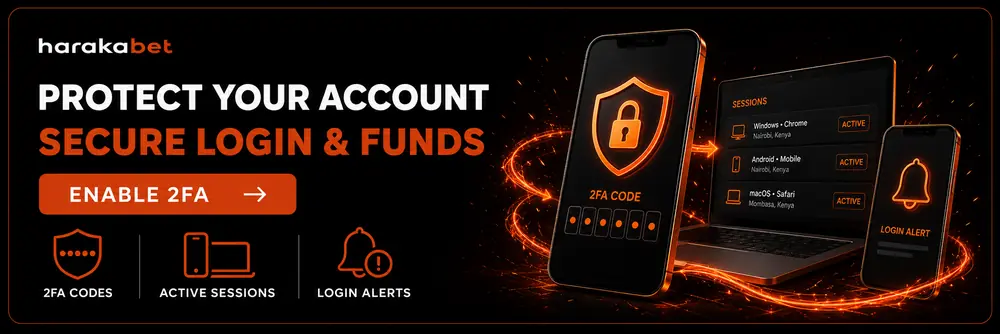
Quick Facts
| Two-factor authentication | Available — adds a one-time code beyond your password |
| Session control | View and sign out every device logged into your account |
| Login alerts | Notified by email/SMS on sign-in from a new device |
| Password rule | Unique password, never reused from another site |
| If compromised | Support can lock the account and help you recover it fast |
Turn On Two-Factor Authentication (2FA)
1
Go to Account Settings and open the Security tab.
2
Select Two-Factor Authentication and choose SMS codes or an authenticator app.
3
Confirm with a one-time code to activate it on your account.
4
From now on, signing in from a new device asks for your password plus this code — a stolen password alone won’t get anyone in.
Manage Your Active Sessions & Devices
Under Account Settings > Active Sessions, you can see every device currently signed into your account, along with its approximate location and last-active time. If anything on that list looks unfamiliar, sign it out immediately and change your password right after.
It’s also worth doing this as a habit any time you’ve logged in on a shared or public computer, even if you’re confident you signed out properly.
Choosing (and Protecting) a Strong Password
The strongest password is one you don’t use anywhere else — if another site you use gets breached, a reused password hands your Harakabet account over for free. A longer passphrase you can actually remember usually beats a short, complex string you have to write down.
Forgotten your password entirely? The password reset guide covers the exact steps and typical timing.
Worried About a SIM Swap?
Your phone number is also your M-Pesa or Airtel Money ID — see how to protect it and what to do if it’s compromised.
Recognizing Signs of a Compromised Account
Catching a problem early makes it far easier to fix. Treat any of these as a reason to act immediately:
Bets or withdrawals you don’t recognize
A password reset email you didn’t request
A balance change you can’t explain
What to Do If You Think You’ve Been Hacked
1
Change your password immediately from a device you trust.
2
Sign out every other session from Active Sessions in your account settings.
3
Turn on 2FA right away if it wasn’t already active.
4
Contact support immediately to flag the account and have the team review recent activity.
5
Report any unauthorized withdrawal right away — the sooner it’s flagged, the better the chance of stopping or reversing it.
Account Security FAQ
Is Harakabet safe to use?
Harakabet supports account-level protections like two-factor authentication, session monitoring and login alerts — using them is the biggest factor in how safe your individual account is day to day.
How do I turn on two-factor authentication?
Go to Account Settings, open Security, and enable Two-Factor Authentication with either SMS codes or an authenticator app.
Can I see which devices are logged into my account?
Yes — Active Sessions in your account settings lists every signed-in device with its location and last-active time, and lets you sign any of them out.
What should I do if I notice a bet or withdrawal I didn’t make?
Change your password, sign out all sessions, and contact support immediately with the details — acting fast matters most here.
Does Harakabet ever ask for my password or OTP directly?
No — legitimate Harakabet staff will never ask you to share your password or one-time code. Treat any message that asks for either as a scam.
Explore more: Login Help · Forgot Password · Change Phone Number · Account Locked · Home