
Mobile Access
Harakabet App vs Mobile Website: Which Should You Use?
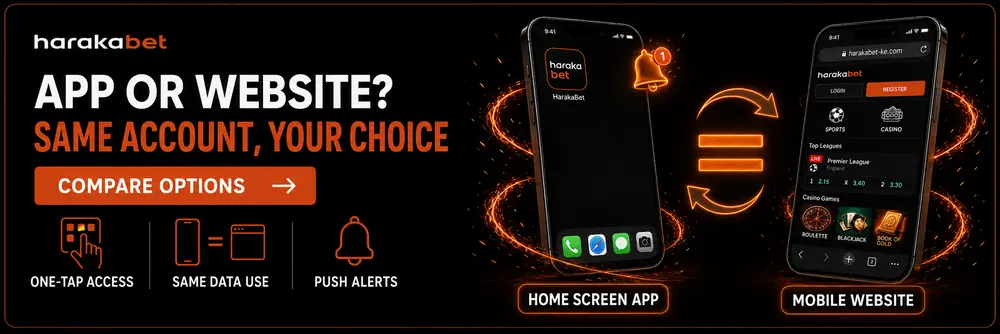
Both are the exact same Harakabet — same login, same balance, same odds. The only real question is which entry point fits how you actually play.
Quick Facts
| Same account either way | Identical login, balance and betting/casino history |
| Speed to open | Home screen app launches with one tap |
| Data usage | Nearly identical — it’s a shortcut, not a separate download |
| Notifications | Only the home screen app can send push alerts |
| On a slow connection | Browser data-saver mode works with either option equally |
The Short Answer
If you check Harakabet daily and want one-tap access plus alerts, add it to your home screen. If you’re on a shared computer, switch between several devices, or just don’t want another icon on your phone, the mobile website in your browser does exactly the same job with zero setup.
Full Comparison: App vs Mobile Website
When the Home Screen App Wins
✓
You check odds, your balance, or live scores every day.
✓
You want alerts for bet results, deposits or promotions instead of checking manually.
✓
You mostly use one personal phone rather than switching devices.
When the Mobile Website Wins
✓
You’re on a shared family computer or a cybercafé device.
✓
You regularly switch between multiple phones or borrow one from someone else.
✓
You’d simply rather not add another icon to your home screen.
Ready to Set Up the Home Screen App?
Takes about 30 seconds on either Android or iPhone.
Data & Battery Usage: What Actually Differs
A common assumption is that “apps” use more data or battery than a website. That doesn’t apply here, because the home screen app isn’t a separately built, heavier program — it’s the same Harakabet website, just launched from an icon instead of a browser tab. The pages that load, the images, the live odds updates — all identical either way.
If you’re trying to save data specifically, the meaningful lever is your browser’s data-saver setting, not whether you’re using the icon or a bookmark.
App vs Website FAQ
Is the home screen app a different Harakabet from the website?
No — it’s the exact same site and account, just opened with one tap instead of through a browser search.
Does using the app use more mobile data than the website?
No — data usage is essentially identical, since the app is a shortcut to the same website rather than a separate program.
Can I use both the app and the website with the same account?
Yes — log in with the same details on either one, and your balance and history stay in sync automatically.
Will I get notifications if I only use the mobile website?
No — push notifications are only available through the home screen app. The website works the same otherwise.
Which uses less battery, the app or the website?
There’s no meaningful difference — both are rendering the same pages through your phone’s browser engine either way.
Explore more: Mobile Access · Android Setup · iPhone Setup · Access Troubleshooting · Home